Ambient Light
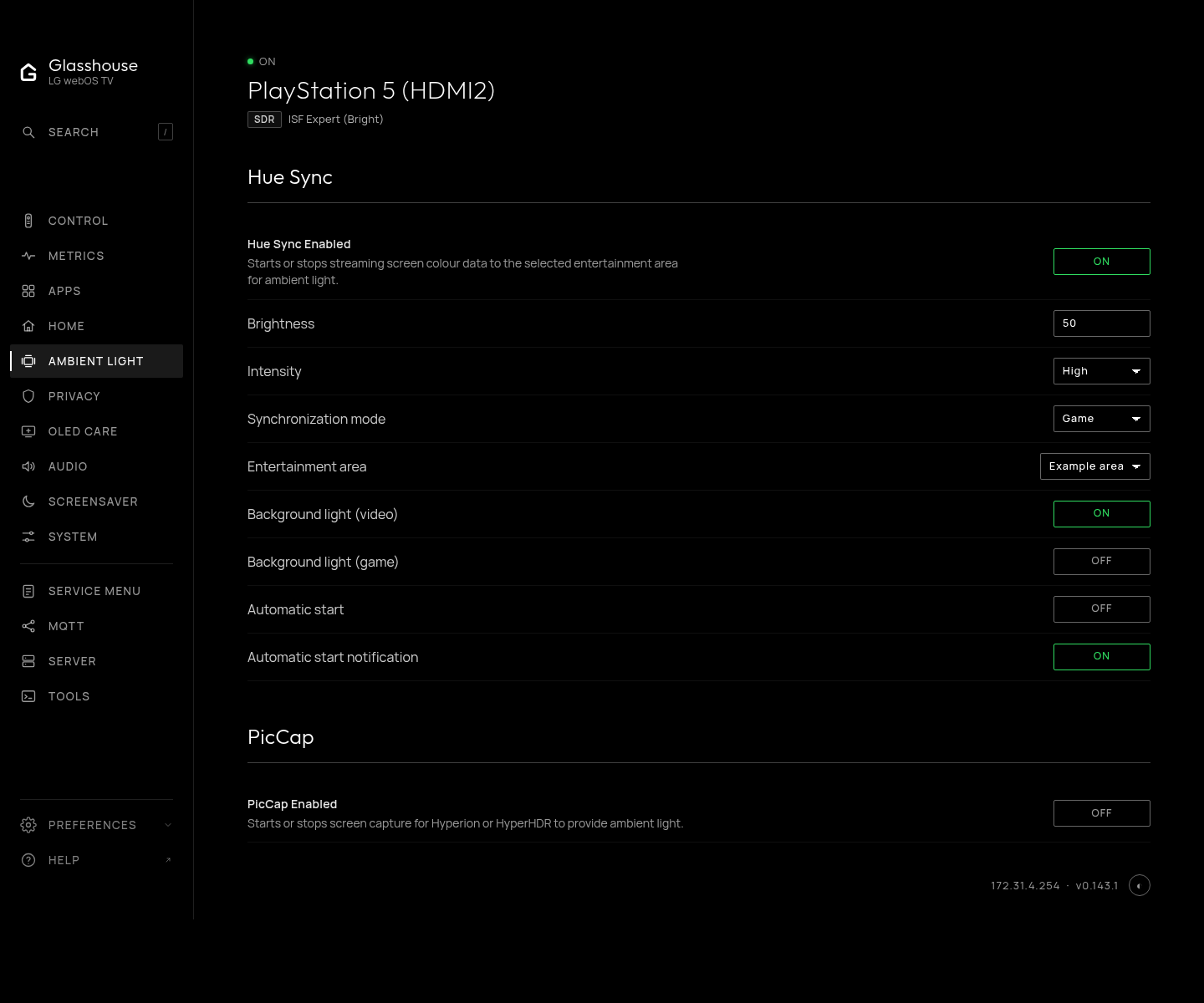
The Ambient Light page (/?tab=ambient) follows Home in the sidebar.
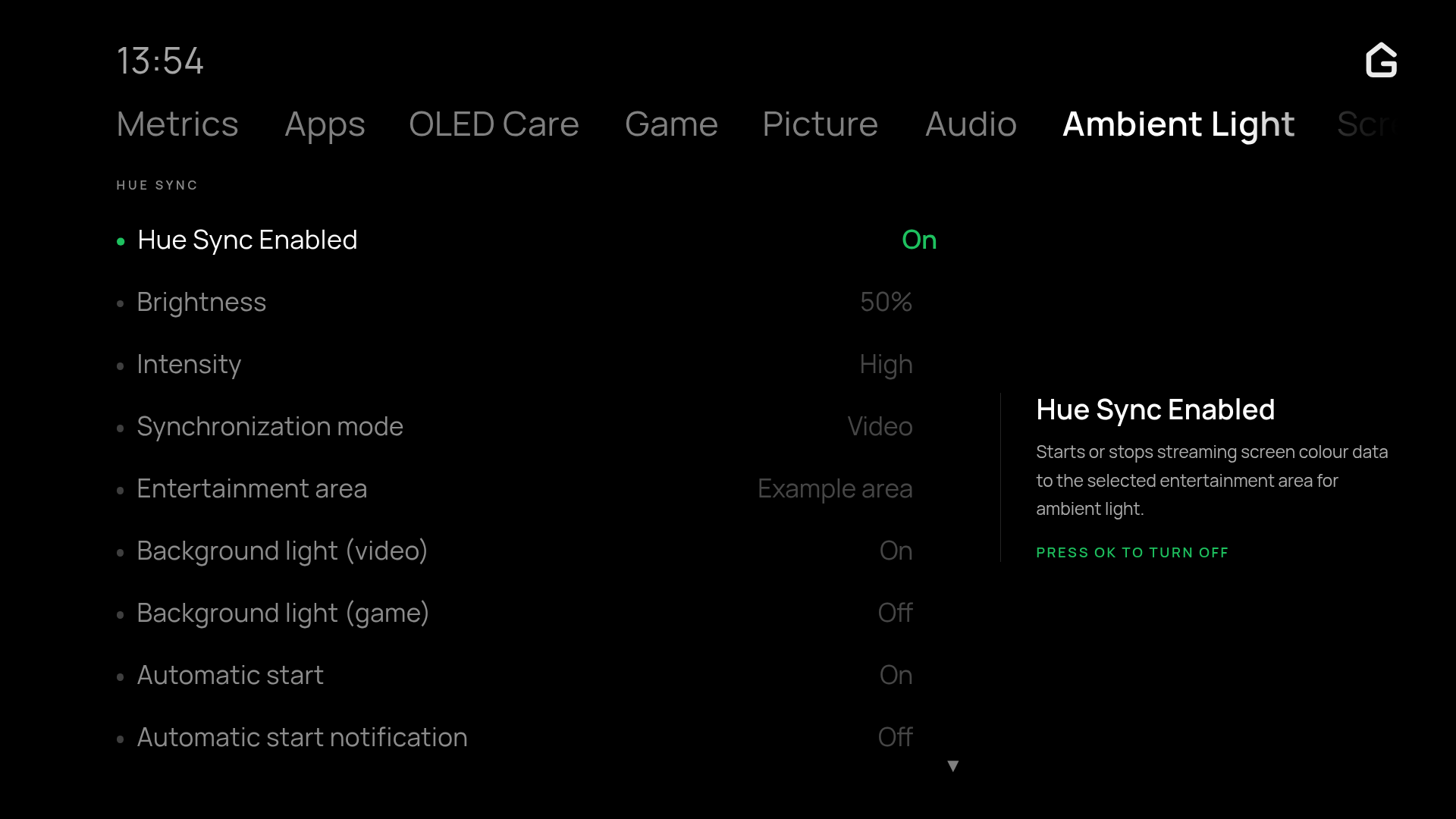
The TV app places this top-level menu between Audio and Screen Saver.
Available integrations have separate
categories, Hue Sync first and PicCap second. Categories and Control
shortcuts are hidden when an integration is unavailable, as with other optional
Glasshouse controls. The Ambient Light tab is hidden when neither integration
is available, including when an unavailable tab is opened from a saved link.
- Hue Sync Enabled: Starts or stops streaming screen colour data to the selected entertainment area for ambient light. Brightness, intensity, Video/Game mode, entertainment area, background light for each mode, automatic start and its notification are shown directly.
- PicCap Enabled: Starts or stops screen capture for Hyperion or HyperHDR to provide ambient light.
Background light and automatic start settings use the same On/Off pill buttons as the integration switches. Their state follows the confirmed setting value.
The switches are independent, so either or both integrations can run. The Control page has quick toggles labelled Hue Sync and PicCap immediately below Playback, with Hue Sync first.
In the TV app, press OK to toggle a switch or cycle a choice. Brightness uses OK to begin, arrows to adjust, and OK or Back to finish.