Pane for macOS
Pane is a macOS menu-bar remote for an LG webOS TV running Glasshouse. It provides quick access to remote navigation, inputs, Picture, Audio and Game settings, HDMI ports, and live telemetry without having to open the web dashboard in a browser. For the iPhone and iPad app, see Pane for iPhone and iPad.
Warning
Independent community project: Pane is an independent project by Denis Vinciguerra and is not affiliated with or maintained by the Glasshouse project. Support, bug reports, and feedback should be directed to the Pane repository issue tracker.
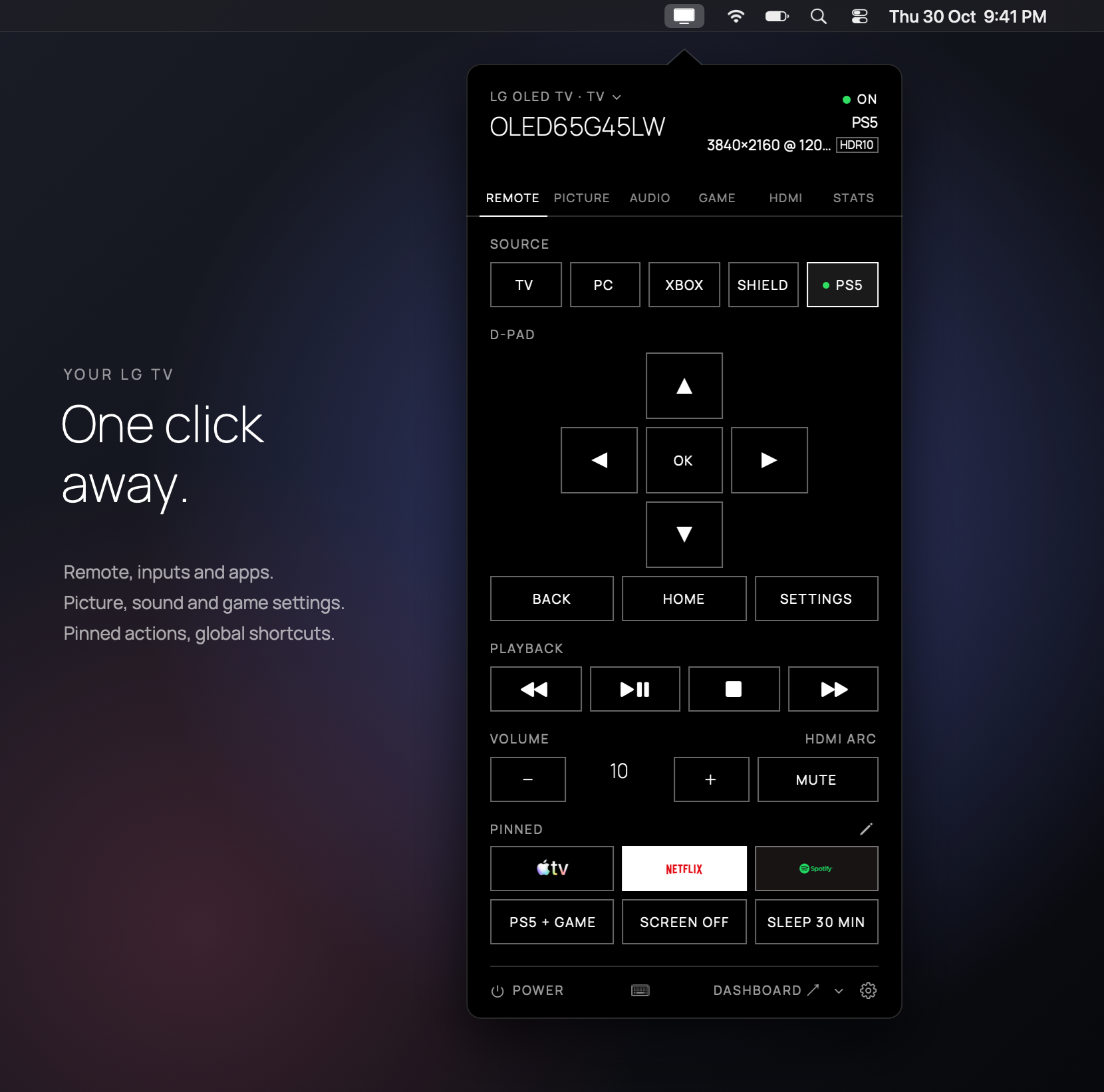
Pane's popover under the macOS menu bar, showing the remote, inputs, and pinned Apple TV, Netflix, and Spotify shortcuts.
How to get the app
Pane can be installed with Homebrew:
brew install --cask denisvinciguerra/tap/pane-for-glasshouse
Alternatively, download the .dmg from the GitHub releases page and drag Pane to the Applications folder.
The app requires macOS 14 (Sonoma) or later.
Adding a TV
On first launch, the popover opens automatically and searches the local network for Glasshouse TVs using SSDP and subnet scanning on port 8080.
A TV can also be added manually:
- By IP address: Enter the TV's IP address (such as
192.168.1.20; port8080by default). - By dashboard URL: Paste a dashboard link copied from a browser; its
k=parameter imports the authentication token automatically.
Saved tokens are stored securely in the macOS Keychain and are only sent to the matching TV.
Features
- Menu-bar remote: Control power, volume, directional navigation, playback, and inputs directly from the popover.
- Keyboard navigation: Navigate using keyboard shortcuts while the popover is open. Includes built-in Arrow and Gaming profiles based on physical key positions across keyboard layouts, as well as customizable key mappings.
- Dynamic settings: Adjust Picture, Audio, and Game settings directly within the app. Settings are drawn dynamically from what the TV server reports, so new settings added on the server appear without requiring an application update.
- Pinned shortcuts: Pin frequently used settings, apps, or action sequences directly to the Control tab, complete with app icons and custom hotkeys.
- Power control: Power on from active standby or LG's Always Ready mode, and send Wake-on-LAN packets when the TV is powered off.
- Multiple TVs: Switch between configured TVs via the header menu.
- Appearance and localization: Follows macOS system light and dark mode, with English and French language support.