Glasshouse
Own the glass. A dashboard, privacy controls and Home Assistant bridge for rooted LG webOS TVs.
Note
You bought the TV.
It's your TV and you should control it. You own the glass.
Designed for those who reject their network-connected home appliances being used as a platform for advertising, telemetry and vendor-controlled experiences, this project brings control, visibility and automation back to the device.
It offers multiple ways to remove ads, withdraw from agreements and services designed to monetize your data, and make the TV a simpler, more streamlined experience — alongside a wide range of useful features, customisation and local smart-home integration.
Glasshouse itself is local, transparent, and requires no cloud service. No nonsense, no data collection, no ads, no dark patterns. I don't want your data.
Glasshouse is a server that runs directly on a rooted LG webOS TV, providing both a live browser dashboard and a dashboard app.
Use it for remote control, app installation and removal, OLED panel care, privacy controls, service menu access, and hardware telemetry. It also includes an MQTT bridge for integrating the TV with Home Assistant and other smart-home software.
Compatibility at a glance
- webOS: 2.2 through 11 (LG's webOS 26) confirmed; tested across 2015–2026 models. Other versions likely work as well. LG names its versions two ways: webOS version numbers gives both
- Panels: OLED (full panel wear telemetry and burn-in controls) and LCD (core dashboard, controls, and telemetry; OLED Care tab hides automatically)
- Access: Rooted via Homebrew Channel. Telnet or SSH. No external dependencies or internet access needed on the TV
- Tested hardware: 92 TVs across 58 series verified so far (LF632V, UF850T, UH600V, UH6030, UH610V, UH635V, B6, B7, SJ80, UJ63, UJ65, UJ75, B8, C8, LK61, UK63, LM57, UM71, UM73, C9, CX, GX, UN70, UN73, A1, C1, G1, NANO75, NANO85, UP80, UP81, A2, B2, C2, G2, QNED82, UQ80, LX3, SQ700S, CS, B3, C3, G3, UR80, QNED80, B4, C4, G4, QNED86, UT73, UT81, C5, G5, UA73, UA75, C6, NU80, QNED84). Other rooted models should work; see full table
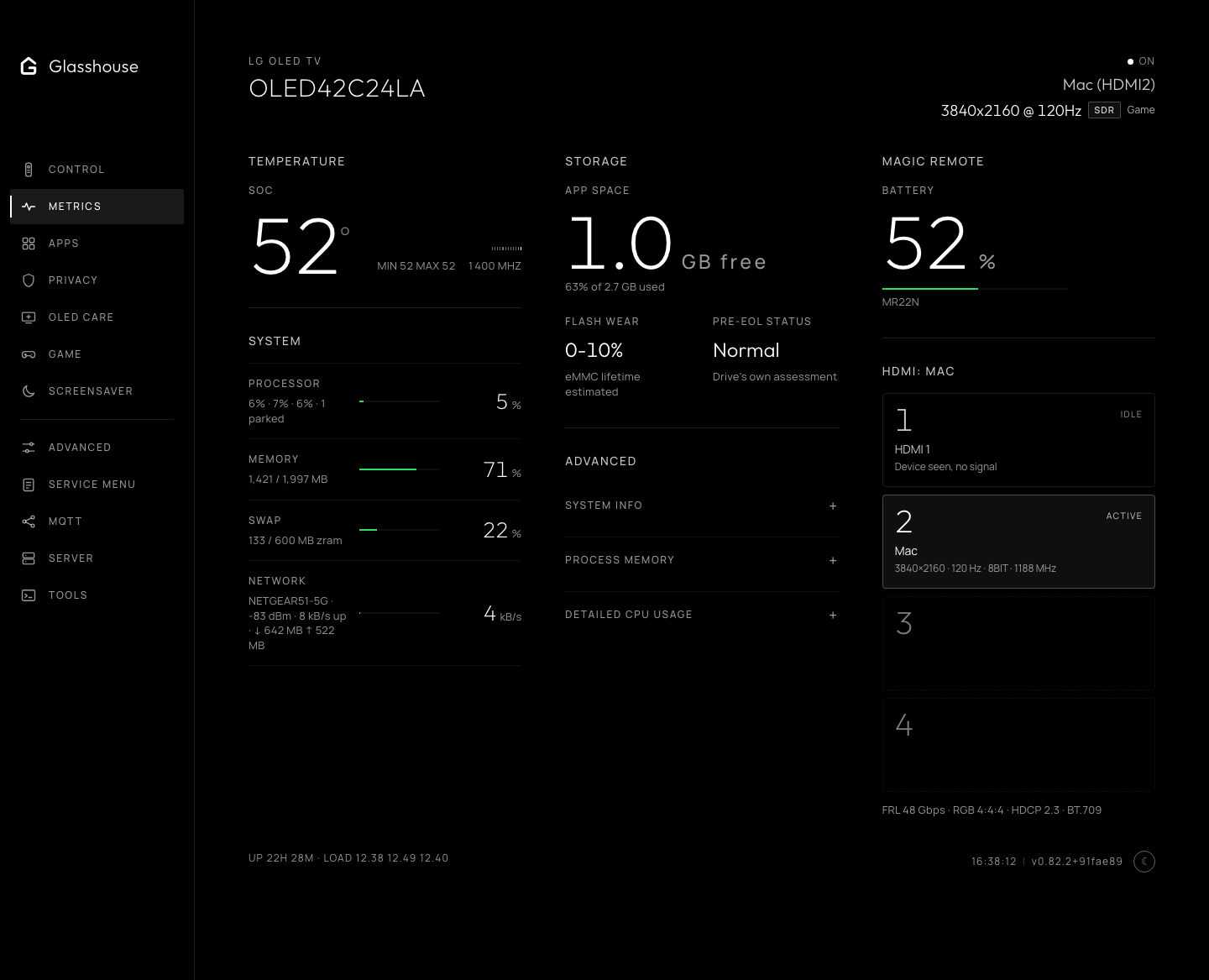
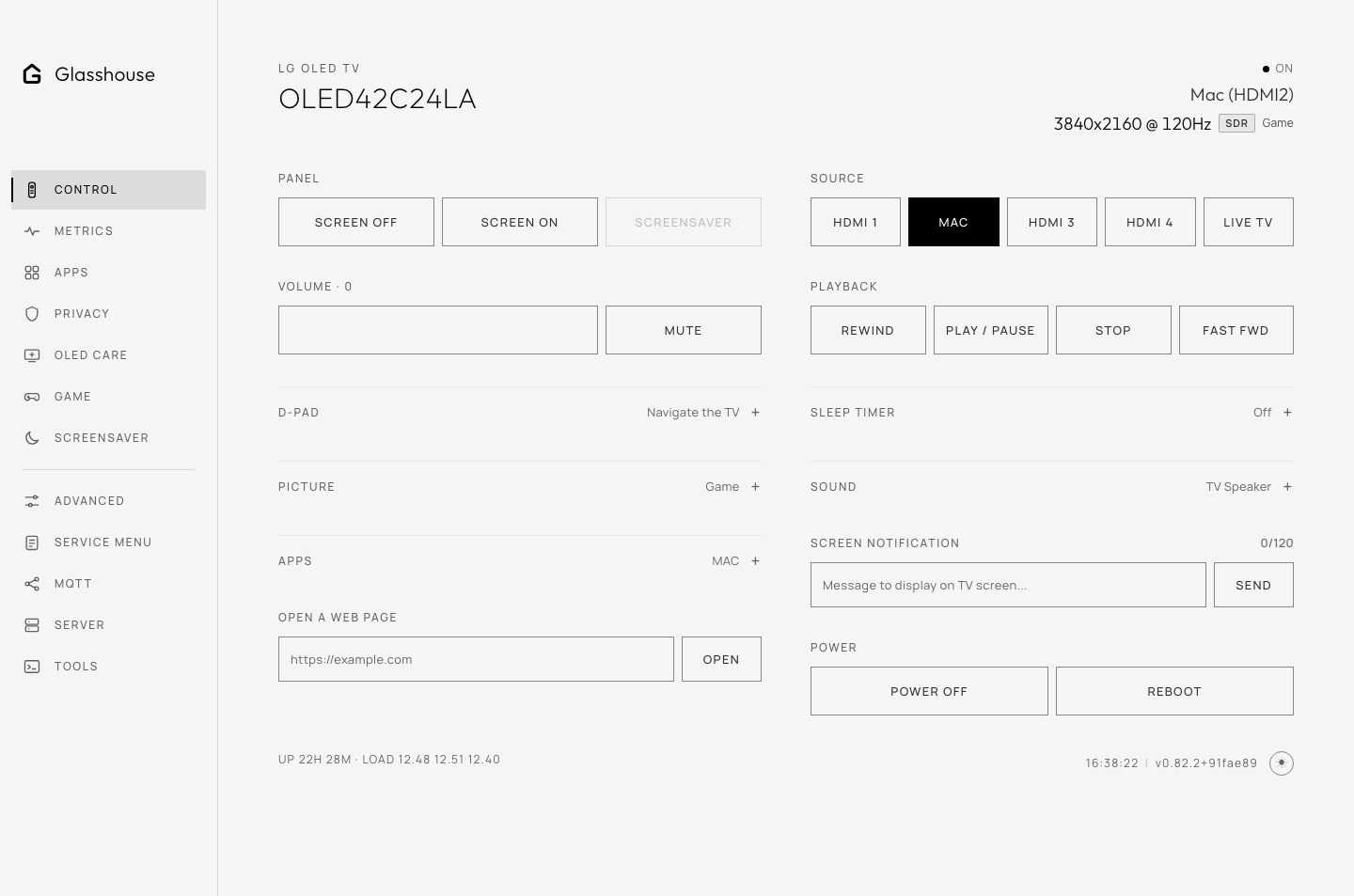
Metrics and Control tabs in dark and light themes, with the screen glow taking its colours from the TV, served directly from the TV with no cloud or external dependencies.
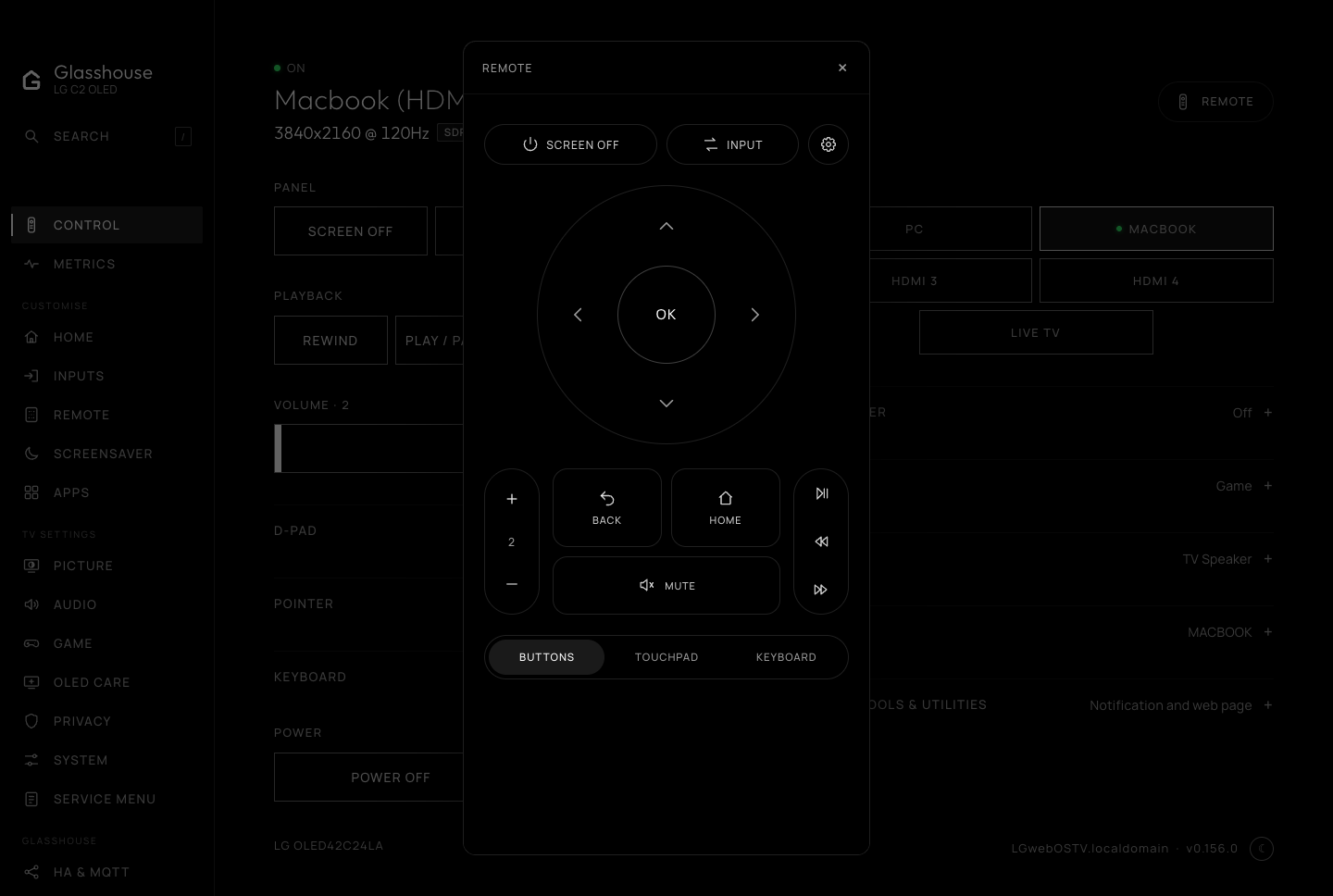
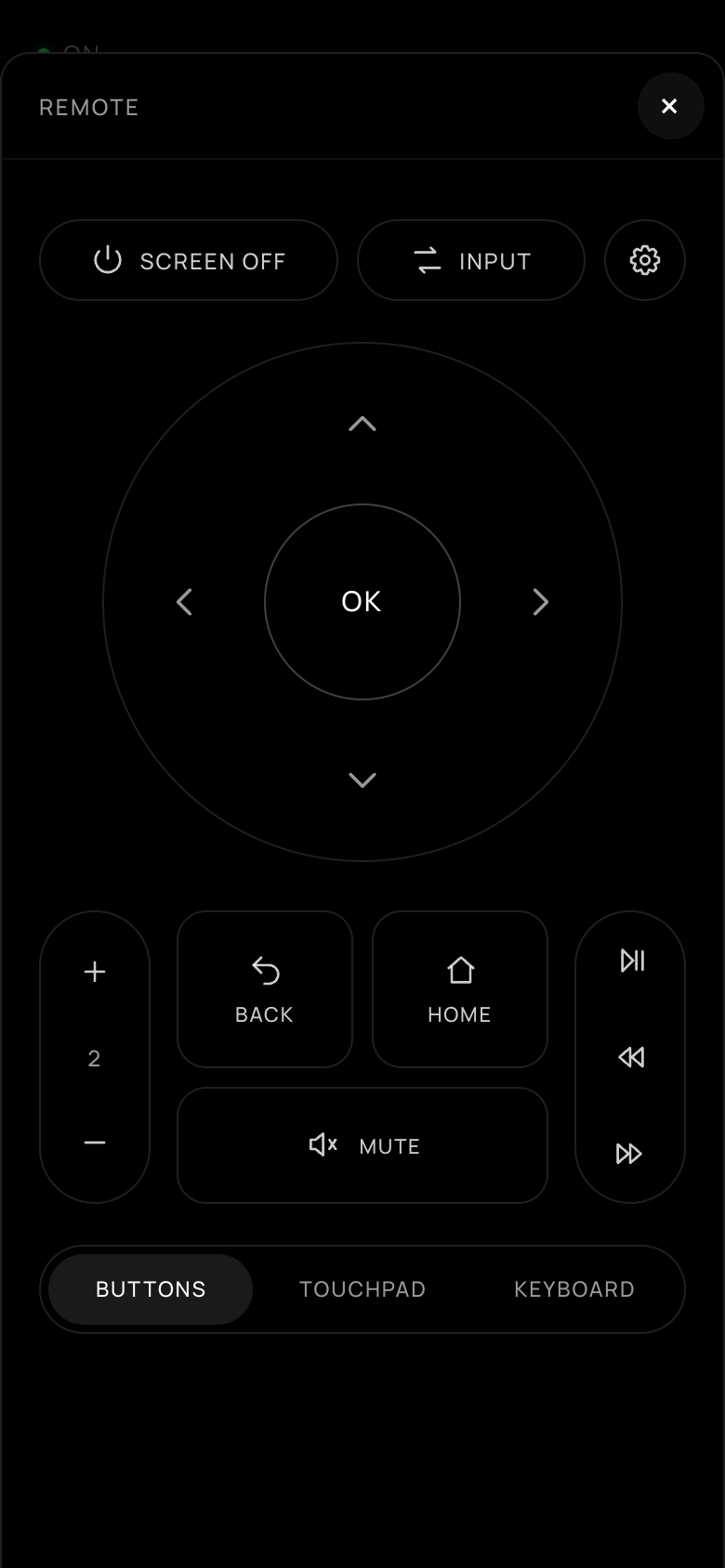
The remote comes up over any tab from the Remote button, or keeps its own icon on a phone's Home Screen.
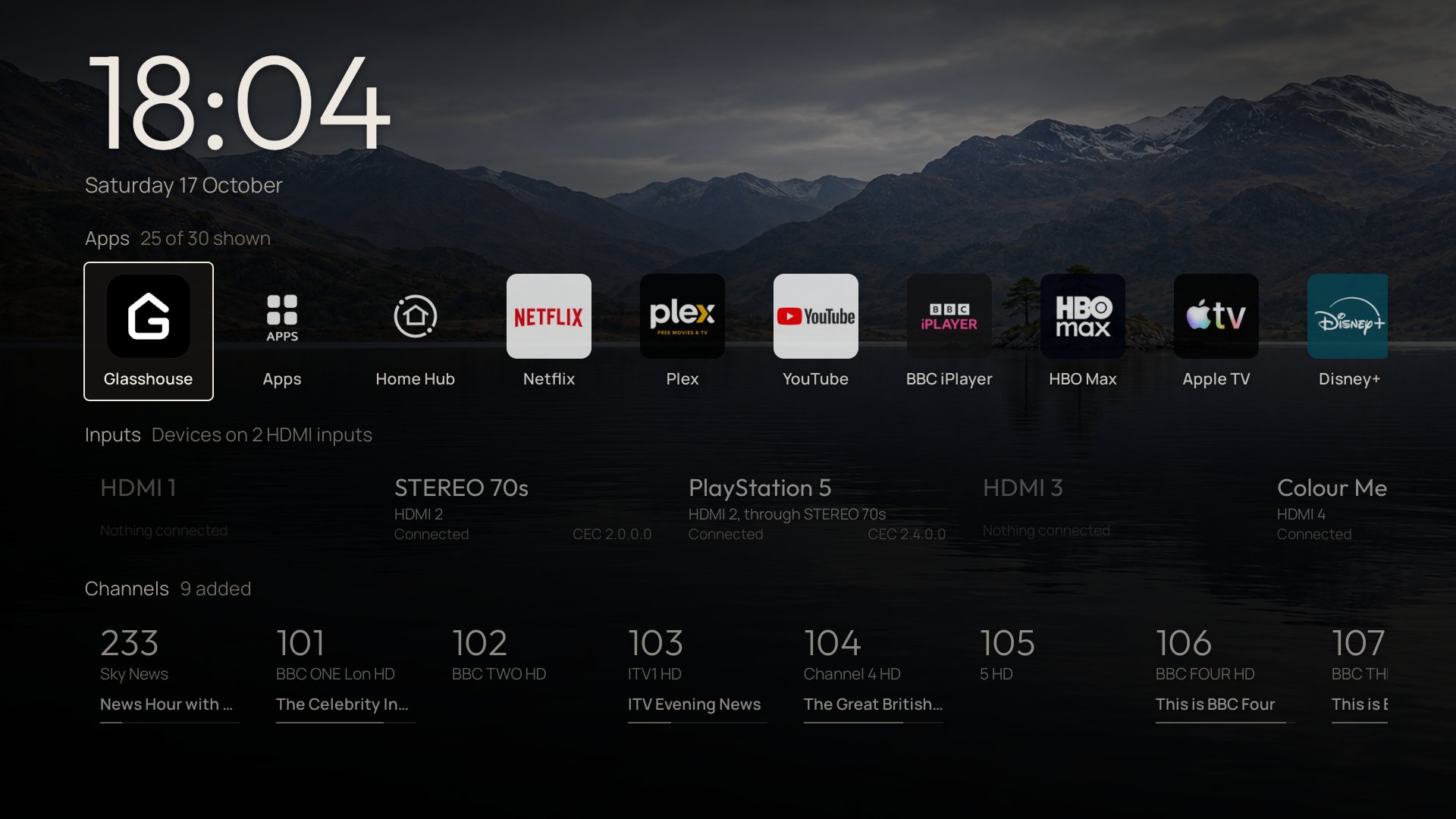
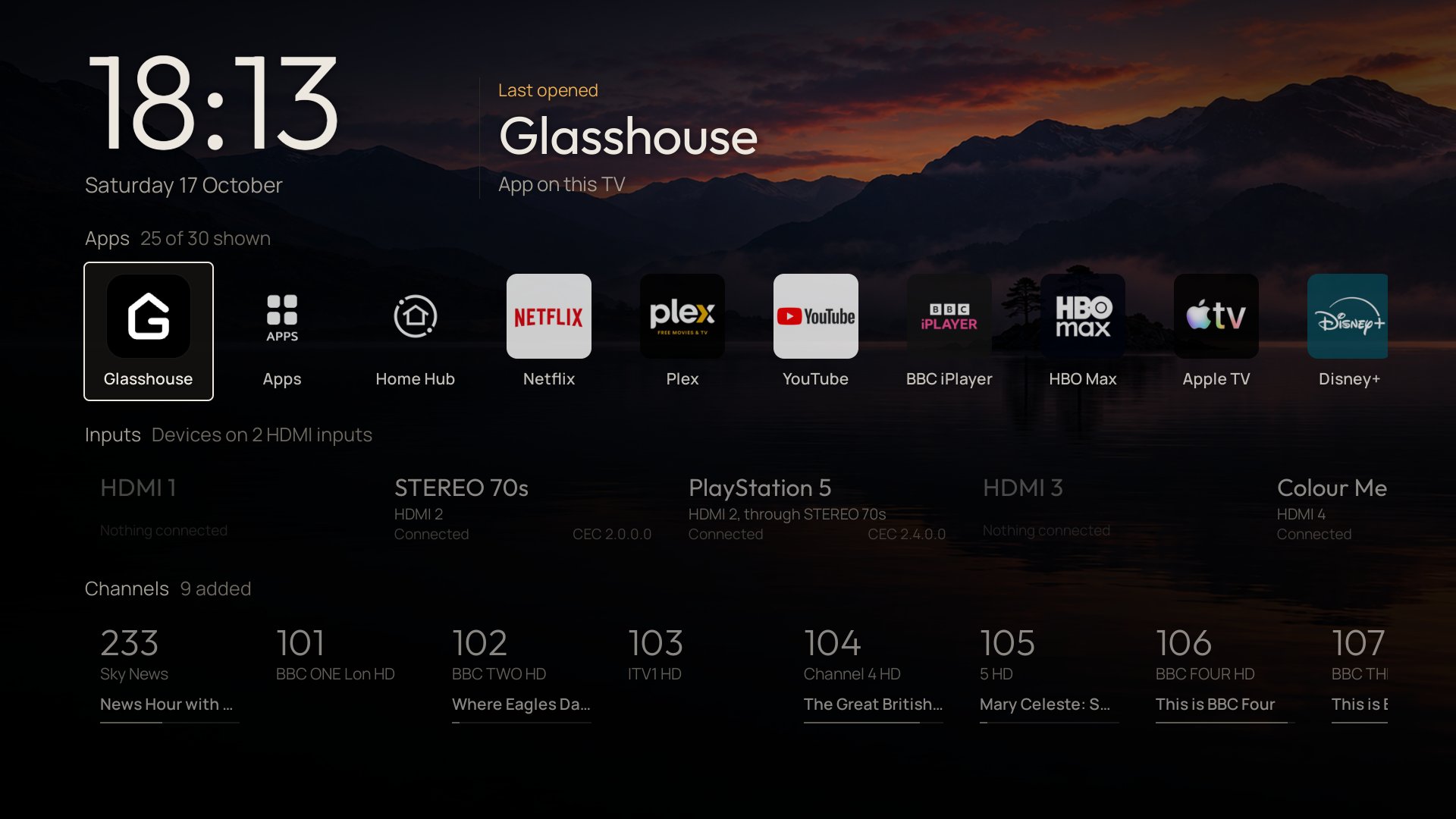
Glasshouse Home replaces LG's ad-heavy launcher with a clean, instant app and input row on the TV.
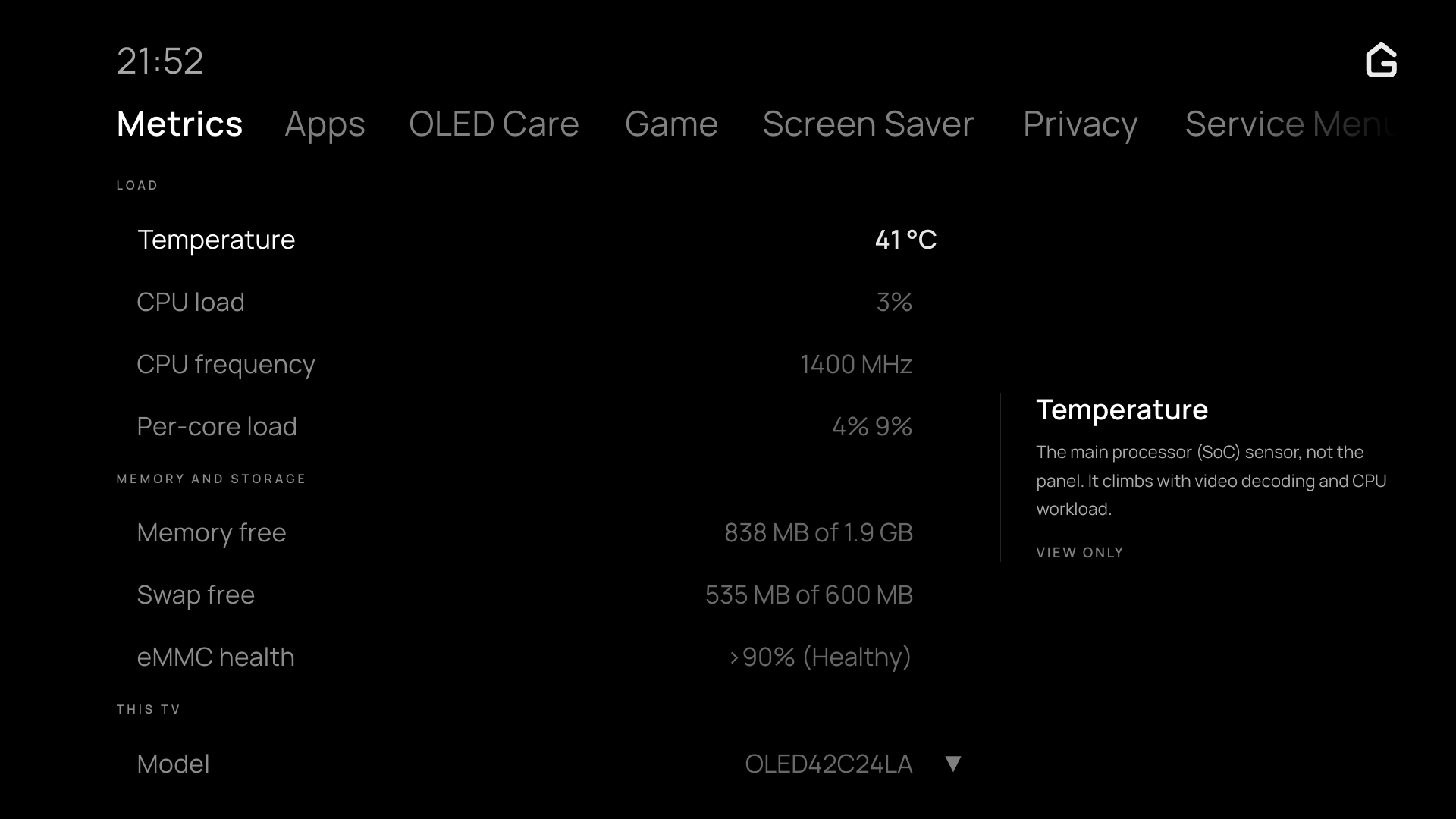
The TV app puts the same readings and controls on the TV screen itself, driven by the remote.
The TV arrives over MQTT Discovery as a single unified device with its controls, sensors, and remote button events.
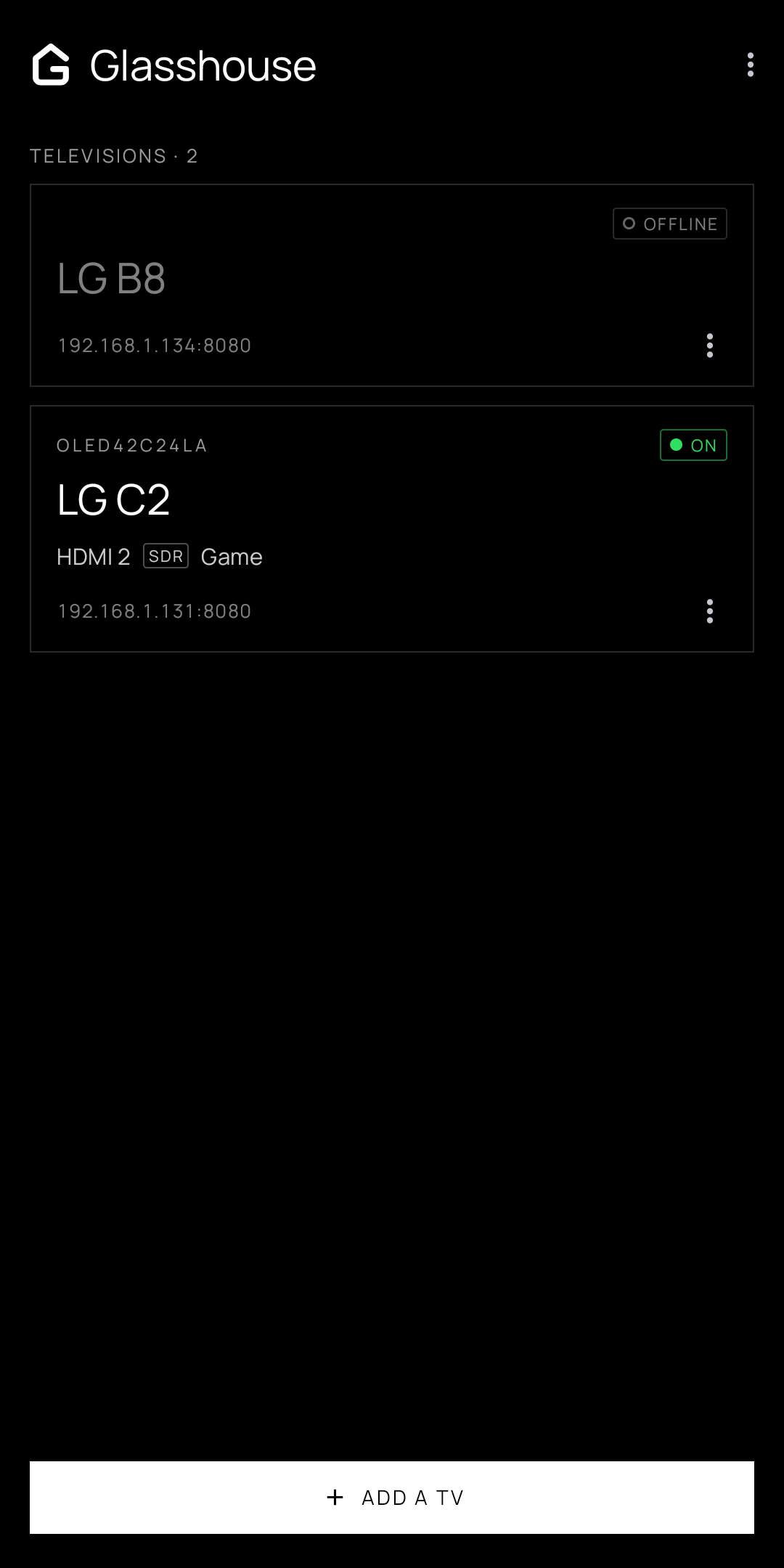
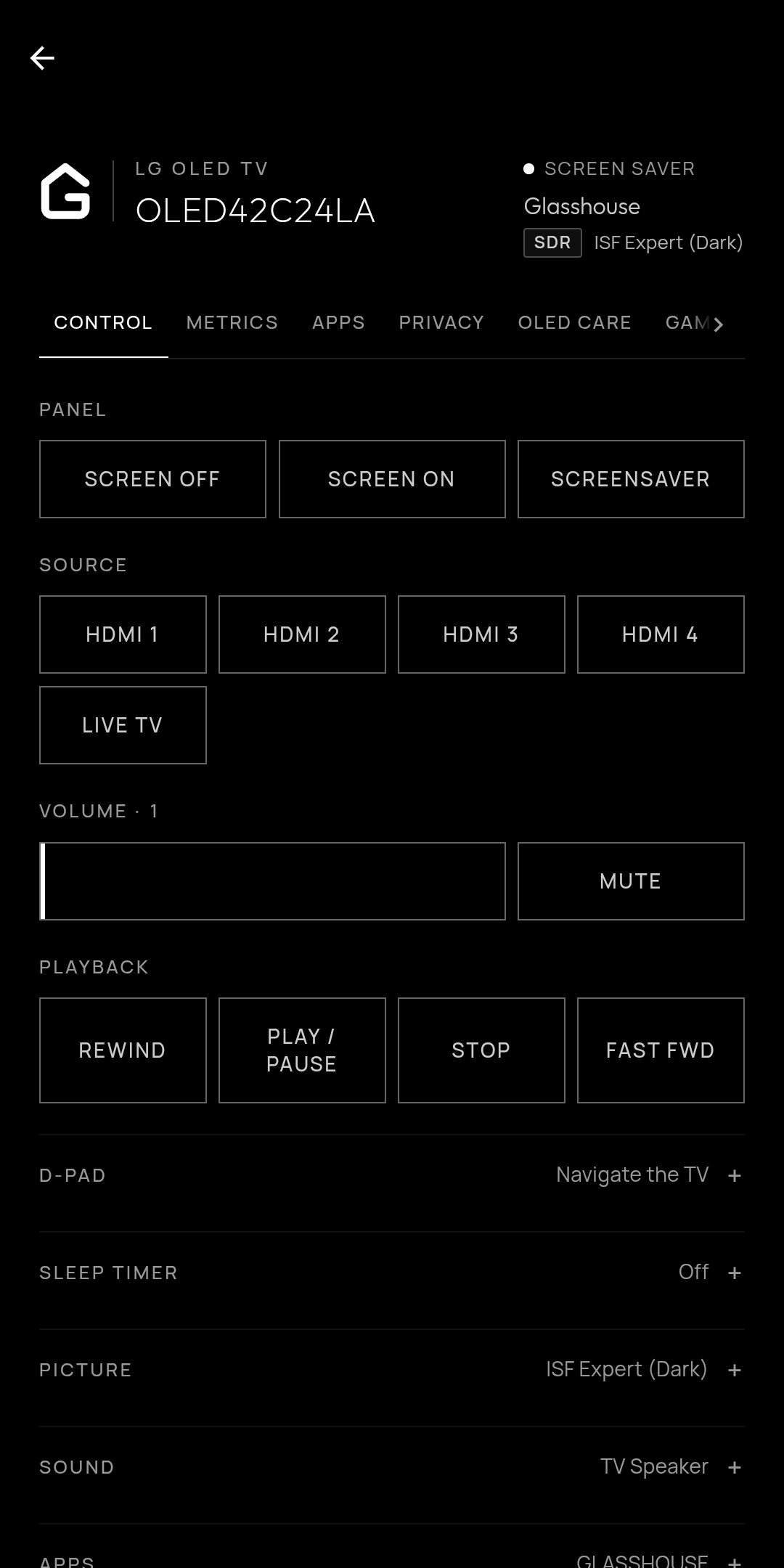
Glasshouse for Android keeps a list of TVs, shows which are online, wakes them with Wake-on-LAN, and opens each dashboard or remote full screen.
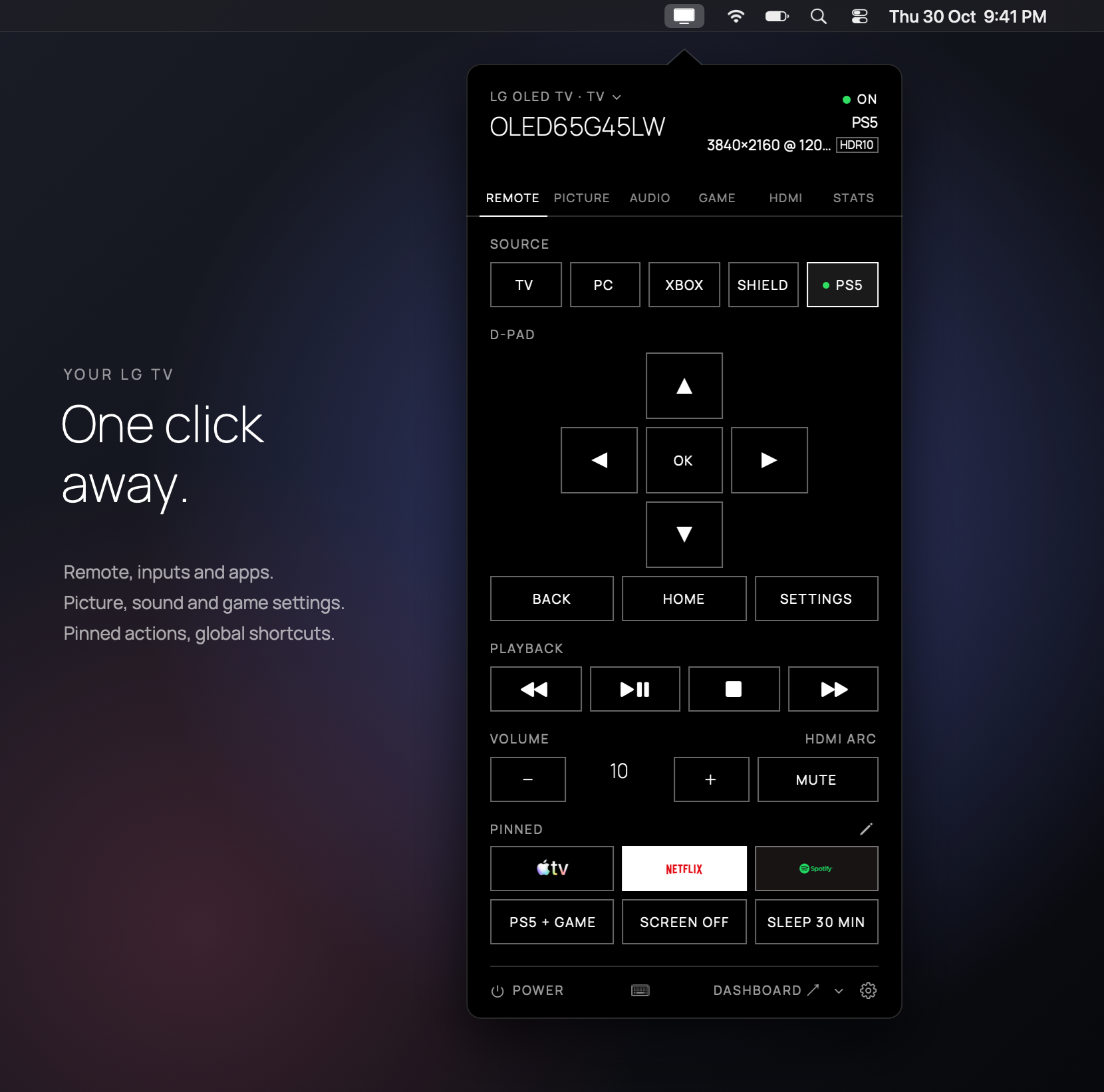
Pane is a macOS menu-bar remote to control the TV, switch inputs, and adjust settings without opening a browser.
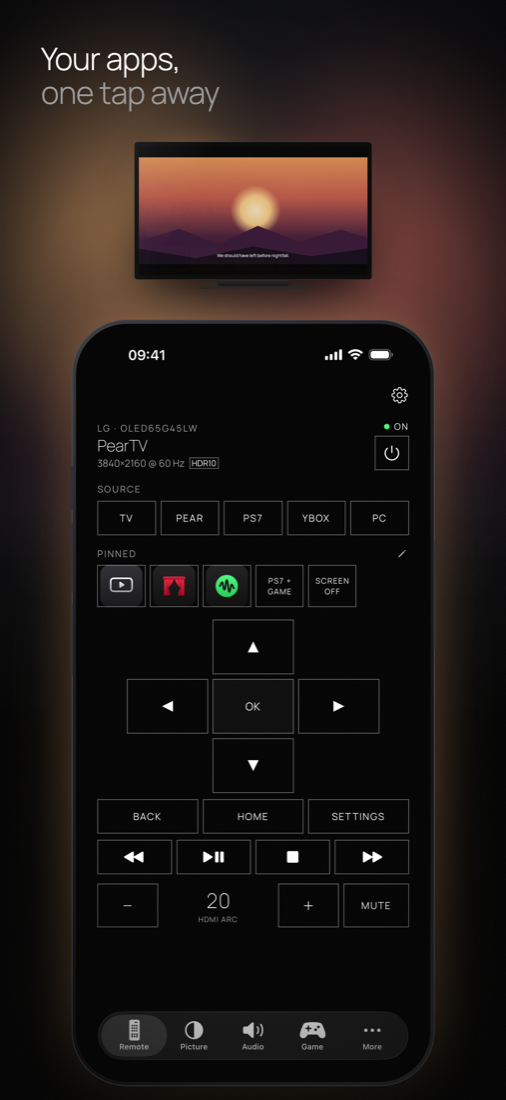
Pane for iPhone and iPad brings the remote to the couch with sources, picture settings, and pinned shortcuts.
What it's for
This project is intended to give a rooted webOS TV a useful local control surface instead of requiring the owner to work around the TV's built-in menus, vendor services and cloud dependencies.
-
A replacement Home app with full control over what displays, and no ads: your own pictures or videos as the background, the remote's battery after the date, and a row of Internet TV channels from your own IPTV playlist or satellite tuner. Or choose Glasshouse Minimal, Glasshouse Bar along the bottom of the picture, a launcher of your own, or a web page such as a Home Assistant dashboard. Reported working on webOS 3 to 7 and 9 to 11, and offered with a note on other versions.
-
Controlling the TV without the cloud
A remote that comes up over any tab or sits on a phone's Home Screen, with a D-pad, touchpad and keyboard, plus volume, inputs, power, sleep timer, comprehensive picture and sound settings, Game Optimizer, and much more.
-
Seeing what the TV is configured to collect, and switching it off
One button to turn ads and telemetry off, including LG's content-recognition engine. Every data agreement is recorded in the app, with most of them switchable from the dashboard.
-
Install apps from the Homebrew Channel catalog, uninstall apps, disable unnecessary background system services to free up RAM and CPU cycles, stop LG keeping apps loaded in the background that are never used, and hide non-removable built-in LG system apps from LG's Home.
-
Remapping the remote's buttons
Point Netflix, Prime Video, Guide, the color keys and the TV's other shortcut buttons at any installed app, an HDMI input, Live TV, the input bar or Glasshouse Bar, or turn them off.
-
Over a dozen screensavers to choose from, and customisable brightness settings.
-
Integrating the TV with a smart home
The MQTT bridge exposes the TV as a single device with its controls and telemetry, with Home Assistant support through MQTT Discovery and the same underlying interface available to other MQTT clients. An optional media player card brings power, volume, sources, apps and Internet TV channels together, and button press events let your TV remote control your smart home.
-
Seeing what the TV is actually doing
SoC temperature, CPU load, memory, Wi-Fi signal and throughput, storage health, watch time and much more.
-
Track the lifetime use of your TV with cumulative panel hours, compensation cycle progress, Pixel Refresher countdown with scheduling, completed cycle counters and refresher failure alerts.
-
Controlling the OLED burn-in protections
Surfaces all the burn-in protections, explains what each one does and allows you to switch them off. This includes ASBL and Global Stress Reduction which is normally reachable only from a TV's service menu with a service remote and a PIN.
-
Opening the service menu, and unlocking it where it is locked
LG's own engineering menu, put on the TV screen from a browser which means no service remote is needed. Newer firmware shows a cut-down version of it until it is unlocked, which the dashboard can do as well.
-
Reading all of it on the TV itself
An optional app on the home screen puts the same readings and controls on the TV, driven by the remote, for when there is no phone or laptop to hand.
-
A phone app that keeps a list of TVs, shows which are online, wakes them over Wake-on-LAN, and opens each one's dashboard or remote full screen, with the phone's volume keys stepping the TV's volume while the remote shows.
-
A macOS menu-bar companion app by the community for controlling TVs, switching inputs, adjusting settings, and running keyboard shortcuts.
-
An iOS and iPadOS companion app by the community for couch remote control, input switching, picture settings, and pinned shortcuts.
Disclaimer
Use this software at your own risk.
- Root access and hardware. This runs custom software with
rootprivileges on an embedded TV OS. It is designed to be lightweight and to leave the read-only rootfs untouched, but the author accepts no responsibility for damage, bootloops, bricked devices, voided warranties, data loss or panel issues. - Power and control commands. Reboot, power off, screen blanking and Pixel Refresher scheduling issue low-level
luna-sendcalls. Understand what each does before using it. - Trademarks. An independent, unofficial community project, not affiliated with or endorsed by LG Electronics. webOS is a trademark of LG Electronics.
- Fonts. Bundles Outfit and Manrope under the SIL Open Font License 1.1; licence texts ship in
server/assets/fonts/.
License
MIT. See LICENSE.