Audio
The Audio tab gathers the TV's sound settings and what the TV and its receiver report about audio formats. The TV app has the same tab, with the same rows in the same order.
Sound
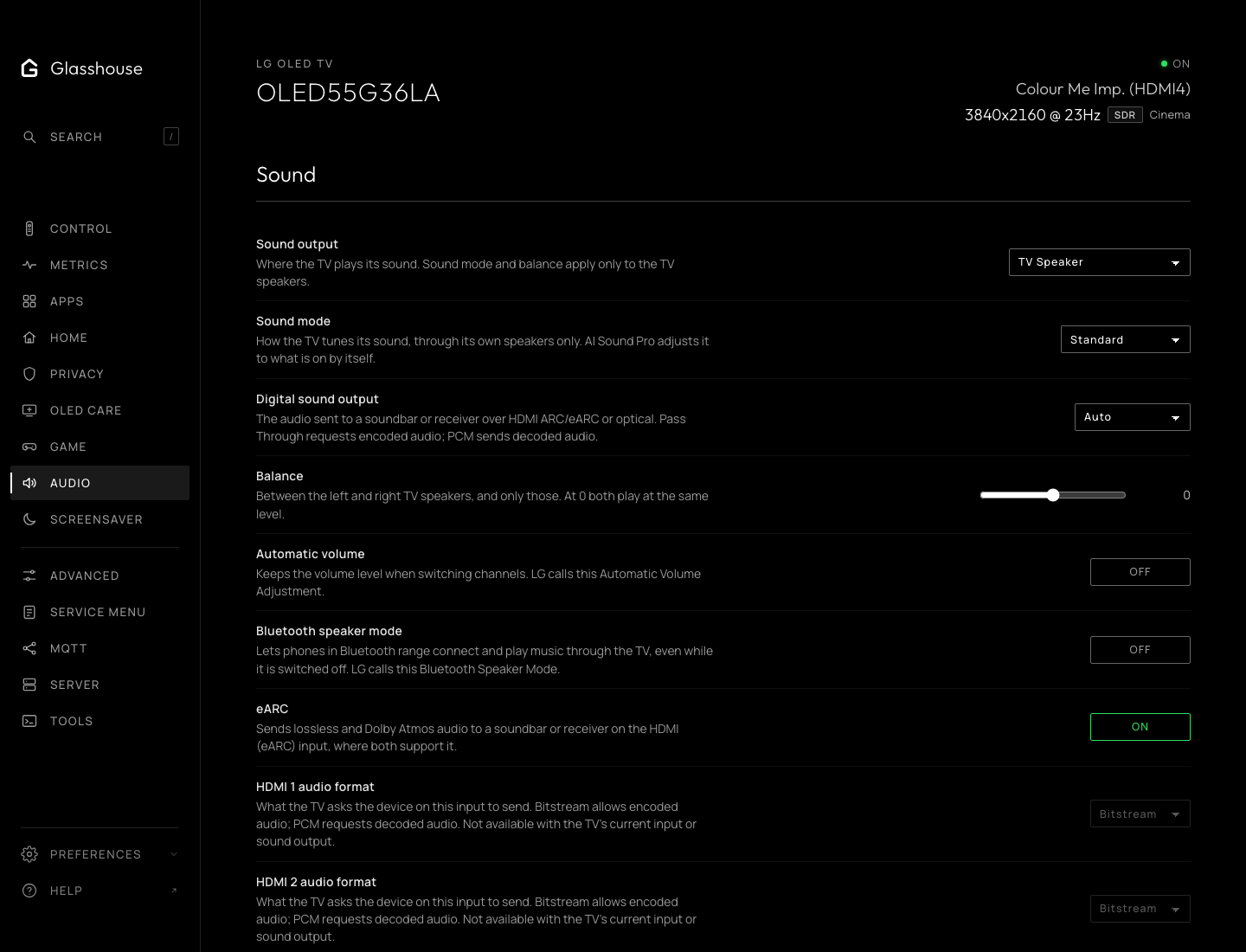
LG's own sound settings: sound output, sound mode, digital sound output, balance, automatic volume levelling, eARC and Bluetooth speaker mode, then each HDMI input's audio format. Sound mode and balance apply to the TV speakers only. Pass Through and Bitstream request encoded audio; PCM requests decoded audio. As in LG's menu, only the input on screen can have its audio format changed.
Soundbar and receiver
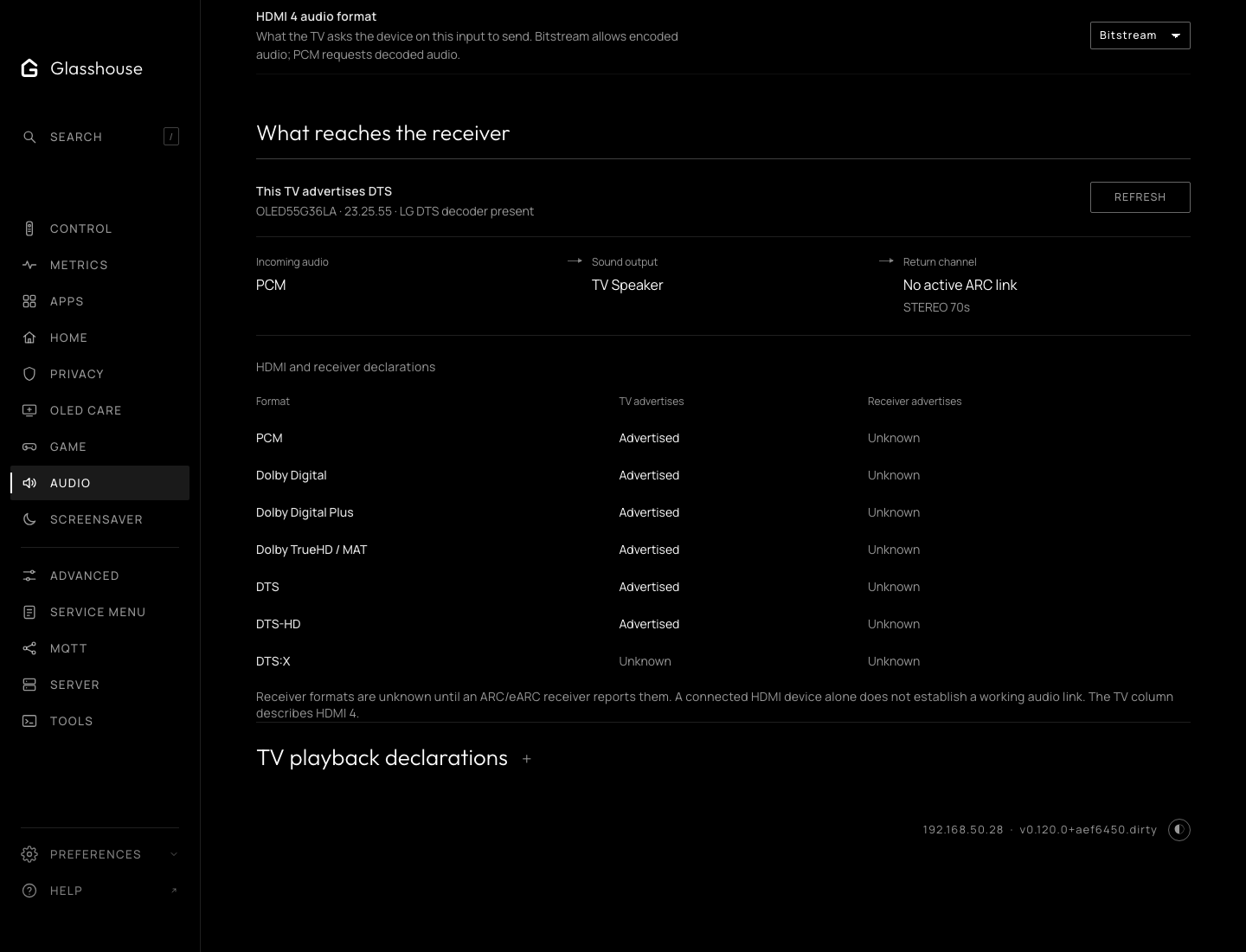
Whether a soundbar or receiver is connected over HDMI ARC or eARC, and which audio formats the TV and the receiver say they support: useful when Dolby Atmos or DTS doesn't come through. On the web tab it is folded under Sound; the TV app lists it below Sound.
The audio coming in, where the TV sends it, and the return channel it has negotiated with the receiver (ARC, eARC or none). The negotiated link is separate from the eARC setting.
Below it, each format as the TV advertises it to the current HDMI source, and as the ARC or eARC receiver advertises it. Unknown stays unknown when the TV does not report a value. A DTS-HD entry does not establish DTS:X. A listed format is not proof of working pass-through; the receiver's incoming-signal display confirms what arrives.
TV playback declarations lists the formats and channel limits in LG's media configuration for apps on the TV. They describe playback, not what reaches a receiver.
A failed reading removes the web tab's controls until a successful refresh.