Glasshouse for Android
Glasshouse for Android is an Android companion app for Glasshouse on rooted LG webOS TVs. It keeps a list of TVs on your network, shows which are online, wakes TVs with Wake-on-LAN, and opens each TV's dashboard full screen.
The app runs on Android 10 and later, and follows the dashboard's design: monochrome styling, Manrope typography, and light/dark theme matching.
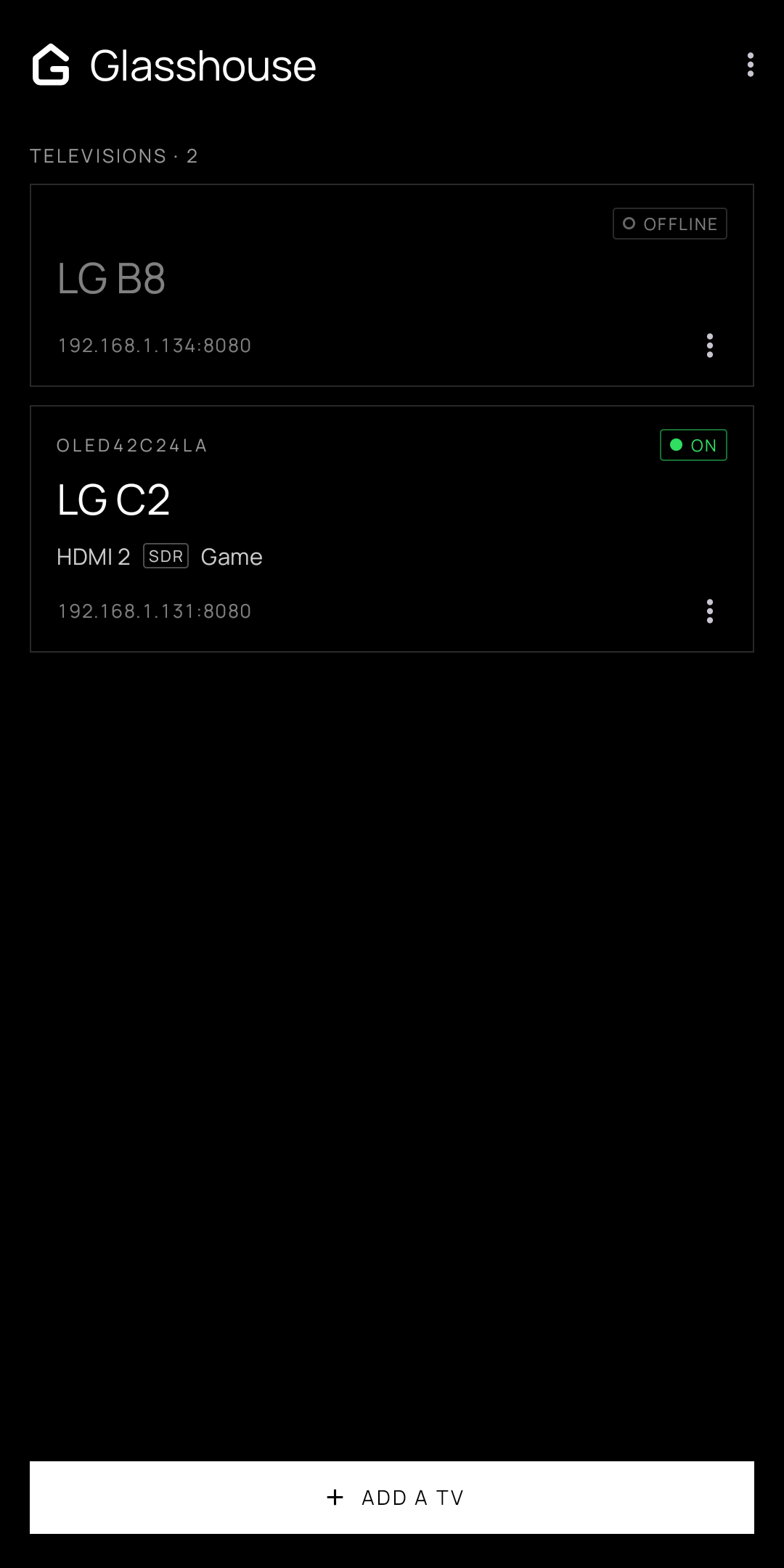
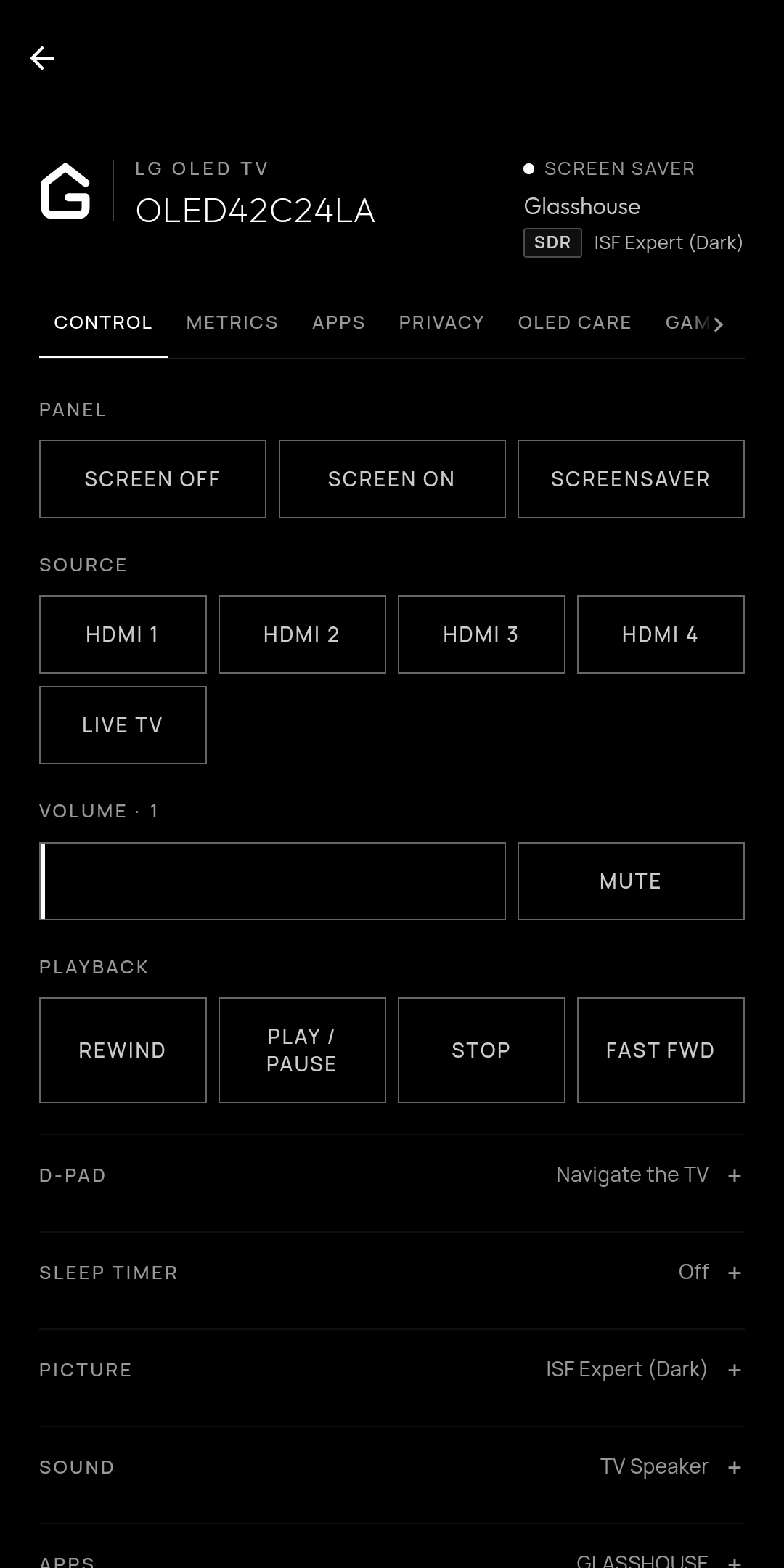
The TV list showing online status, and a TV's dashboard opened full screen.
How to get the app
The app is currently in closed testing ahead of its public release on the Google Play Store.
To join the test:
- Join the glasshouse-android-testers Google Group using the Google account your phone uses for the Play Store.
- Opt in to the test on the Google Play testing page while signed in with that account.
- Install Glasshouse from the Google Play Store link provided on the testing page.
Note
Google Play requires testers to remain opted in for 14 days before an app can be released publicly to the store. Please stay opted in during the testing period. Suggestions and bug reports can be submitted on the GitHub repository issues page.
Adding a TV
TVs can be added to the app in three ways:
- Scan a QR code: Scan the QR code shown under the Settings tab in the TV app or on the web dashboard. This automatically imports the TV's address and access token. Scanning a TV that is already saved updates its token.
- Network discovery: Tap Find TVs on this network to discover Glasshouse TVs automatically using SSDP and local subnet scanning.
- Manual address: Enter the TV's IP address or hostname directly. The default port
8080is used if none is specified.
Saved TVs, including their tokens, remain stored securely in private app storage and are excluded from cloud backups and device transfers.
Turning a TV on
Important
A TV that is powered off or in standby can only be woken over the network if Wake-on-LAN is enabled. On the TV, turn on Turn on via Wi-Fi (or Mobile TV On on older webOS versions), or check Power under the dashboard's Advanced tab.
- Active Standby / Screen Off: If the TV is in Active Standby (running panel clearing or Always Ready), the app displays a standby ring and a power button that triggers the server's
powerOnAPI. - Cold Standby / Powered Off: If the TV's MAC address is known, the app sends Wake-on-LAN magic packets across the local broadcast domain every five seconds until the server responds.
Dashboard features
- Full-screen WebView: The dashboard displays full screen, hiding system bars and matching the TV's dark or light theme.
- Pull-to-refresh: Pull down at the top of any dashboard screen to reload the page.
- Package sideloading: Integrates with Android's system file picker, allowing
.ipkHomebrew packages stored on your phone to be sideloaded directly onto the TV. - Battery efficient: Polling and WebView JavaScript timers pause automatically whenever the app moves to the background.
Source code & contributing
The app is open source under the MIT license. The source code, issue tracker, and release workflows are hosted on GitHub: