Apps and home screen launcher
The Apps tab, /?tab=apps, offers four different ways to manage software on the TV.
Install adds an app from the Homebrew Channel catalog. Uninstall removes an application completely and frees its storage. Disable stops selected background services without deleting them. Hide removes built-in LG system apps from the home launcher without touching the underlying application.
- Install apps from the catalog: The Install homebrew apps section lists the Homebrew Channel catalog, with Install, Update or Uninstall for each app. Downloads are checked against the catalog before installing, and it asks first when something needs a decision, such as replacing a copy installed from the LG store.
- Install from a URL or a file: From URL... downloads an
.ipkfrom an http or https address, with an optional sha256 to check it against, and Upload .ipk sends one from the browser. Both show the same preview as a catalog install. They are in their own section at the bottom of the tab, and are off until switched on there (after a warning), a token is set, or the request comes from the TV itself. - Uninstall applications: Store downloads and sideloaded packages with version and vendor details, and a one-click uninstall action to permanently delete apps and free up internal eMMC flash storage.
- Turn off background services: Safely disable unnecessary background services and daemons that consume RAM and CPU cycles (such as USB camera watcher, Connected Car listeners, and browser preloading). Only services actually present on the TV are displayed, and disabled states are persisted across reboots.
- Hide home screen system apps: Hide non-removable LG system apps (Gallery, Music, Sports, Always Ready, Camera, User Guide, Device Connector, Alexa, Google Assistant, etc.) from the home launcher ribbon. Operates non-destructively via reversible
appinfo.jsonbind-mounts. Includes a master toggle to instantly return to stock behavior. Experimental; see Experimental features. - Strict system safeguards: Core TV services (
Live TV,Settings,Launcher, input switchers, and the dashboard itself) are strictly protected and can never be hidden or uninstalled. - Available on TV and Web: Catalog installs, uninstalling, services and hiding work from any browser or from the on-TV dashboard app. Installing from a URL or a file is in the browser dashboard only.
Apps that check for an installation from the LG store may refuse to run when installed this way, and apps built for a newer webOS than the TV runs may not launch.
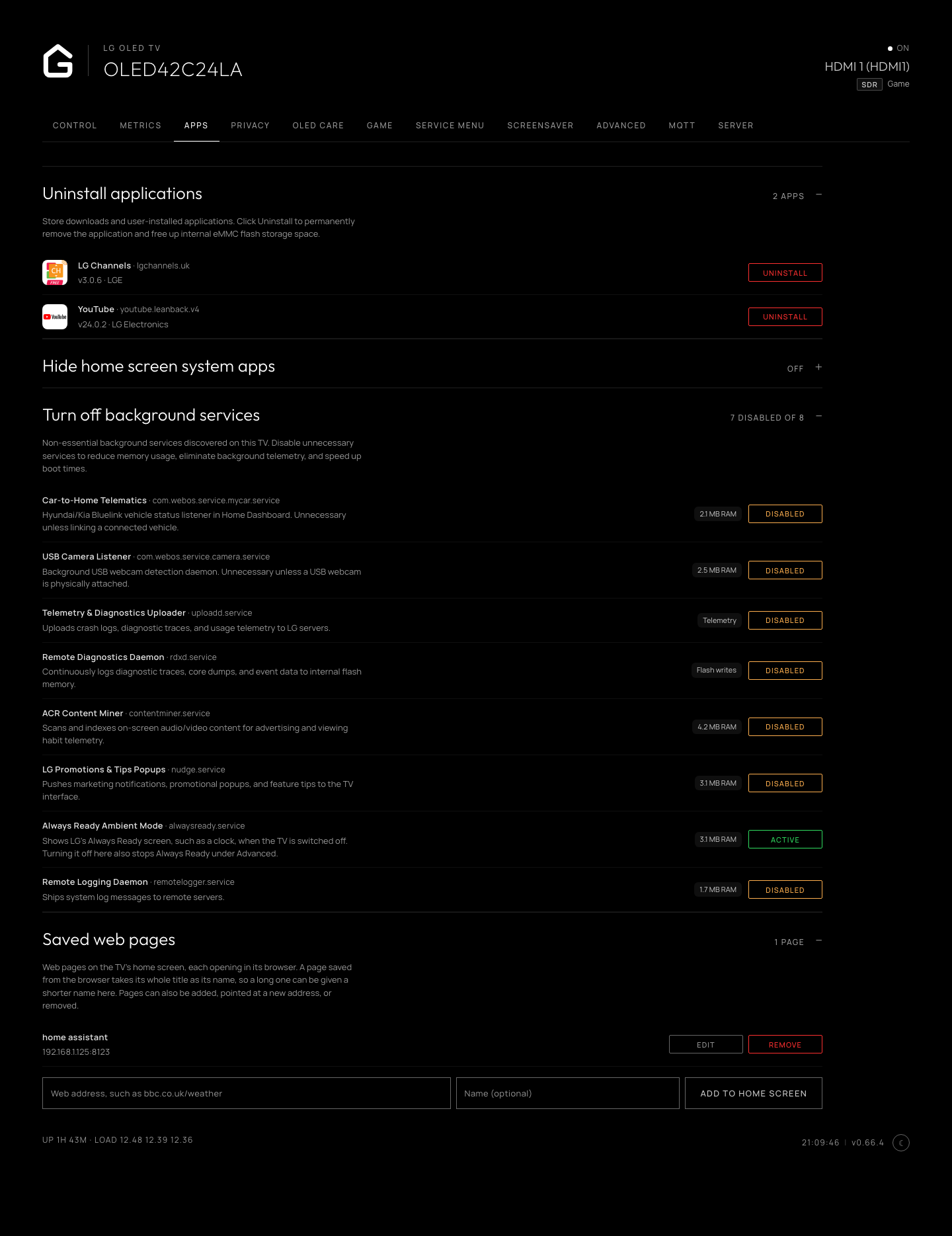
Installed applications, background services and saved web pages.